Notes are a convenient way to both keep reminders for yourself or collaborate with your team. Personal notes are private to you – but notes added in teams are visible to all your team members. Notes are connected to posts and can help you keep information related to that post.
Writing a note
Simply scroll to the bottom of a post, or use the “Add a note” button in the top bar to find the Notes section.
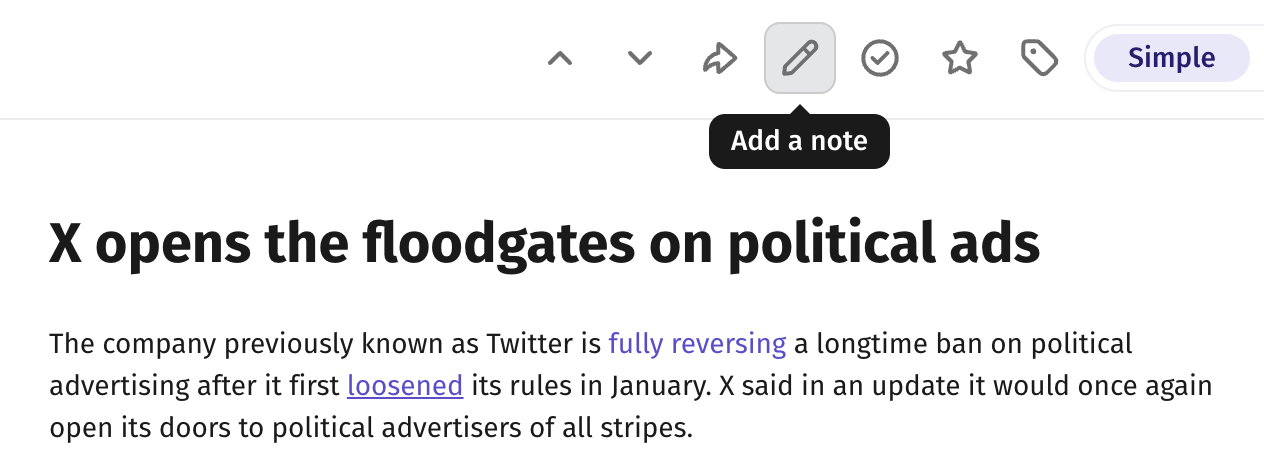
Write your note in the input field and press the purple send button to post it. You can also use Cmd/Ctrl + Enter to post the note if you prefer working with the keyboard.

Formatting a note
You can use Cmd/Ctrl + B to add bold sections in your note, and Cmd/Ctrl + I to add italic sections. Most quick commands for formatting will work just as usual and in future releases we will add buttons to make it simpler to toggle these visual states.
Finding notes
You can find all posts where you’ve added notes in the “Notes” section in the sidebar.

Posts with notes also have a yellow marking showing how many notes are added to that post.

Another way to find posts with notes is using the filter function and check the “Notes” checkbox.
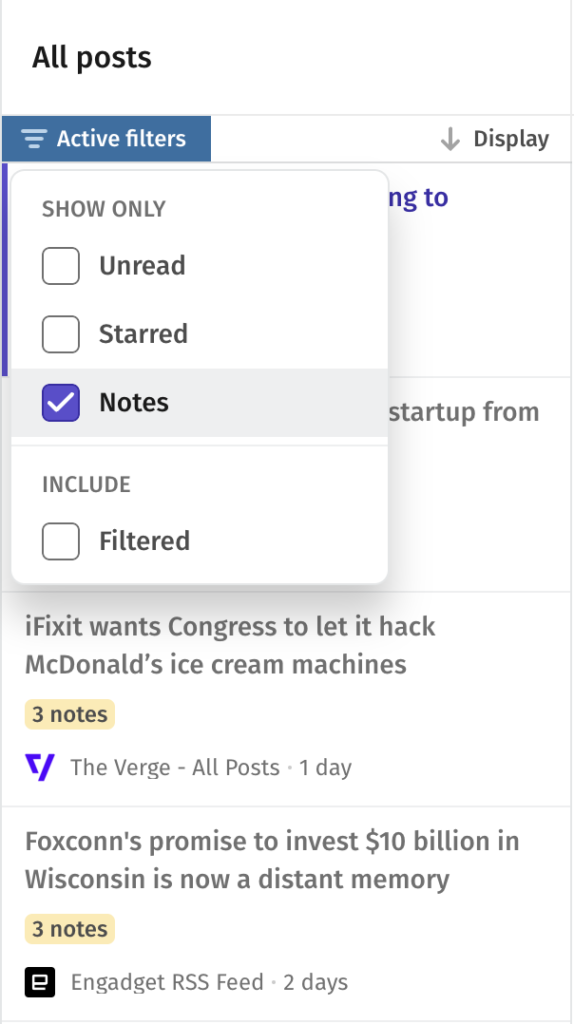
Notes keep everything about a post in one place. Use them to flag what you’re working on, leave context for teammates, or save details you’ll want to find later.
Only available in Feeder Plus
Please note that Notes are available as part of our Feeder Plus plan. You can upgrade anytime by visiting the Billing section in your account settings, or going to https://feeder.co/account/subscription to read more about our different plans.
Questions and Support
If you have any questions or need further assistance, please don’t hesitate to reach out to our support team at support@feeder.co or using the chat within Feeder. We’re here to help.