With Feeder's MCP server, you can connect Feeder to your AI client of choice.
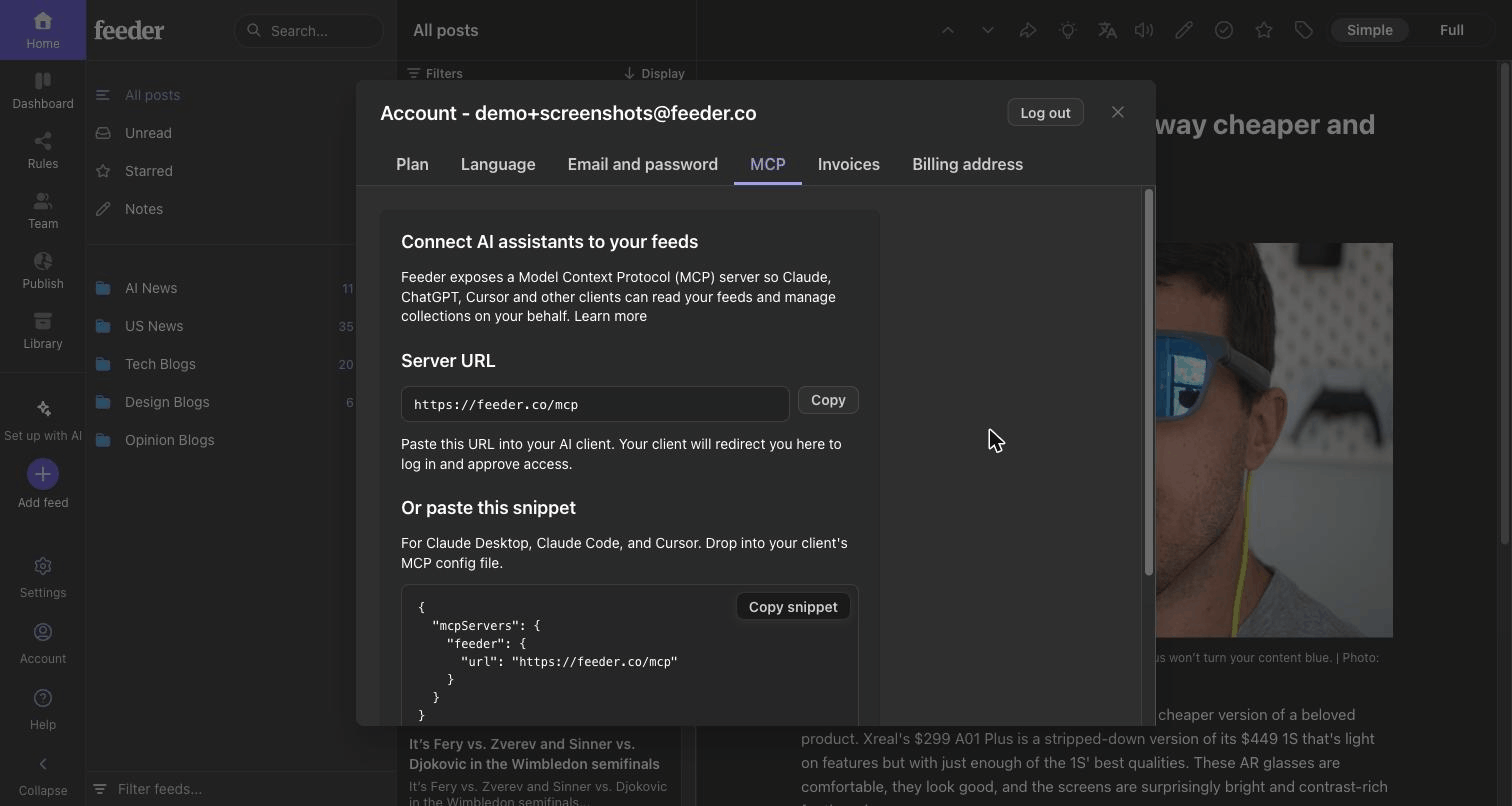
Connecting
Go to Account → MCP and copy your personal server URL into the AI tool. Sign-in happens through OAuth, so there are no API keys to create or paste. You approve the connection in the browser, the same way you sign in to anything else. (For the spec-minded: it's OAuth 2.1 with PKCE and Dynamic Client Registration.)
What the AI can do
Once connected, the AI can search your posts, browse your sources by folder or collection, mark things read, and filter by time range. There are WordPress tools too, for reading and writing, so it can fetch what you've published or draft a post.
Availability
The MCP server is available on Plus plans and up. Connections are managed from the same Account → MCP page.
Excited to hear what you think of it! We're always listening at support@feeder.co